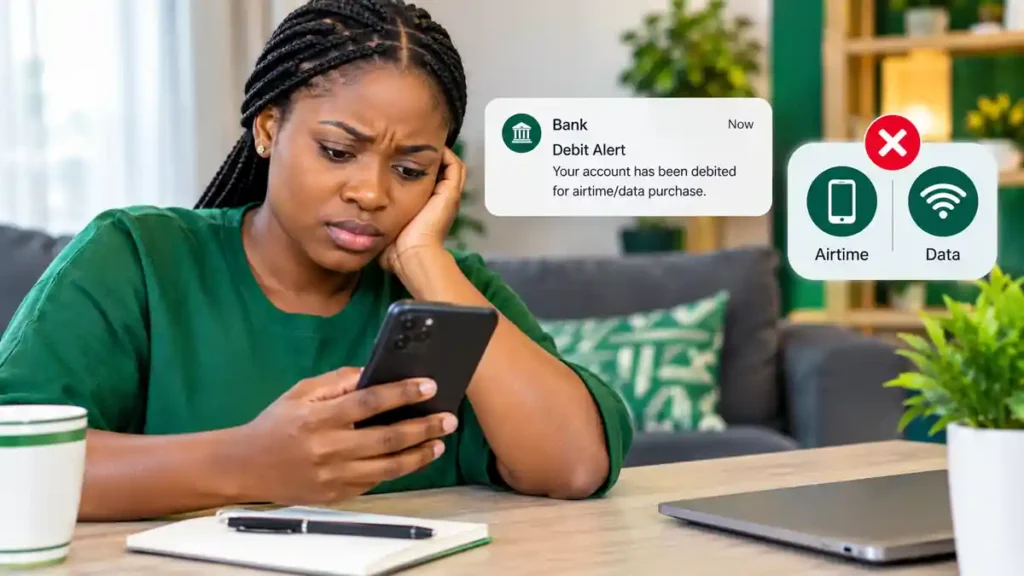
You have just bought airtime or a data bundle through your banking app. Your account shows that the money has been deducted, but your phone has received nothing.
You check your balance again. The money is gone, the airtime is missing, and you are left wondering whether to wait or buy the bundle a second time.
If this has happened to you, you are not alone. Failed electronic transactions are a recognised source of consumer complaints in Nigeria’s financial system.
The good news is that there are practical steps you can take to report the problem, track your complaint and seek a refund.
In this guide, we explain what to do when your bank debits you for airtime or data that never arrives, which information to keep, when to contact your bank and how to escalate the matter if the problem remains unresolved.
We will also explain an important development: regulators published a draft framework in February 2026 proposing faster resolution of failed airtime and data purchases. Because it is a draft, you should not assume every proposed requirement is already enforceable.
Why Does Airtime or Data Purchase Fail After Your Account Is Debited?
A failed purchase does not always mean that your money has been permanently lost.
Several systems may be involved in a single transaction, including your bank, a payment processor and your mobile network operator.
If one part of the process experiences a delay or technical problem, your bank may record the debit before the final status of the purchase is confirmed.
Here are some common explanations.
1. Network problems
Poor internet connectivity or a temporary network interruption can affect communication between your banking app and the payment service.
The transaction may appear to be processing even though the purchase has not completed successfully.
2. Delayed confirmation
Sometimes, the payment process takes longer than expected to return a final response.
Your account may show a debit while the service provider is still checking the transaction status.
3. Payment processor errors
A payment processor may experience a technical issue that prevents a purchase from being completed correctly.
The transaction may require investigation or an automatic reversal, depending on the circumstances.
4. Mobile network problems
Your bank may have processed the payment request, but the mobile network may fail to credit the airtime or data bundle.
In this situation, the bank and network operator may need to investigate the transaction together.
5. Duplicate purchase attempts
If you press the purchase button repeatedly because the first attempt appears unsuccessful, you could accidentally initiate multiple transactions.
That is why it is sensible to check your transaction history before trying again.
What Should You Do Immediately After a Failed Purchase?
If your account has been debited but you have not received the airtime or data, follow these steps.
Step 1: Check your airtime or data balance
Start by checking your balance through your network’s official channel.
Sometimes, the purchase has succeeded but the confirmation message has been delayed.
If the expected balance has not changed, continue to the next step.
Step 2: Check your bank transaction history
Open your banking app and check whether the transaction is marked as successful, pending or failed.
Write down the transaction date, time and amount.
If the app provides a transaction reference, save it.
Do not assume that a debit notification alone proves that the mobile network received and completed the purchase.
Step 3: Avoid making the same purchase repeatedly
Before trying again, confirm that the first transaction did not succeed.
If you urgently need airtime or data, consider your situation carefully. Making another purchase may be necessary, but understand that you could temporarily have two debits if the first transaction is later confirmed.
Step 4: Give the transaction a short opportunity to update
Some failed transactions are reversed automatically after the systems reconcile their records.
Check the transaction status and account balance again.
However, do not keep waiting indefinitely if the debit remains unresolved. You can report the problem to your bank while keeping the transaction details available.
Step 5: Report the problem to your bank
Use your bank’s official customer support channel or the complaint facility in its banking app.
Explain that your account was debited for an airtime or data purchase, but the service was not delivered.
Provide the transaction reference and any other information the bank requests.
Ask for a complaint reference number and keep it for follow-up.
How to Request a Refund From Your Bank
When contacting your bank, make the complaint specific enough for its support team to investigate.
You can explain:
- The date and approximate time of the transaction.
- The amount deducted.
- The mobile network and type of purchase.
- Whether the airtime or data was received.
- The transaction reference, if available.
- Any relevant screenshots showing the debit and transaction status.
Never include your banking PIN, password or one-time verification code in a complaint message.
Sample complaint message
You can adapt the following message to your situation.
Subject: Request for Investigation and Refund of Failed Airtime/Data Purchase
Dear Customer Support Team,
My bank account was debited for an airtime/data purchase, but the airtime or data bundle was not credited to my phone.
Transaction date: [Insert date]
Transaction time: [Insert time]
Amount: ₦[Insert amount]
Mobile network: [Insert network]
Transaction reference: [Insert reference]
Please investigate this transaction, confirm its status and arrange a reversal or refund if the purchase failed.
Kindly provide a complaint reference number and let me know when I should expect an update.
Thank you.
What happens after you complain?
The bank may investigate the transaction records and coordinate with the relevant payment service provider or mobile network operator.
If the transaction failed and the amount is refundable, the bank should explain the applicable reversal process.
Keep the complaint reference and any written responses you receive.
If the bank requests further evidence, provide the relevant transaction details through its official channel.
What If Your Bank Says the Transaction Was Successful?
This is where you need to ask for a clearer explanation.
A bank’s transaction record and the delivery of an airtime or data bundle are related, but they do not necessarily establish the same thing.
If your bank says the payment was successful but your phone was not credited, contact your mobile network operator as well.
Explain the situation and provide the transaction details requested by its support team.
Ask the operator to confirm whether the purchase was received and whether the airtime or data was credited.
If the bank and network operator give conflicting explanations, keep records of both responses and refer them to the appropriate support teams.
Avoid opening multiple unrelated complaints without keeping track of them. A clear record of the transaction and the responses received can make it easier to identify where the problem remains unresolved.
How Long Should You Wait for a Refund?
There is no single refund deadline that should automatically be applied to every type of failed electronic transaction.
The applicable timeline depends on the transaction type, the service provider and the rules governing the particular payment.
For example, the Central Bank of Nigeria published guidance in 2020 specifying reversal timelines for certain failed ATM, POS and web transactions. Those timelines should not automatically be treated as the rule for every failed airtime or data purchase. Read the CBN’s electronic payment chargeback circular.
In February 2026, the CBN and NCC published a draft framework specifically addressing failed airtime and data purchase transactions. The draft proposes automatic reversals and a 30-second target for completing eligible transactions and refunds where necessary.
However, a draft framework is not the same as a final rule in force. Do not rely on the proposed 30-second target as a guaranteed refund deadline unless the regulators confirm that the final framework has taken effect and applies to your transaction.
If your transaction remains unresolved, contact your bank and ask for the applicable complaint-resolution timeline.
What Is the 2026 CBN and NCC Proposal About Failed Airtime and Data Purchases?
The Central Bank of Nigeria and the Nigerian Communications Commission have proposed a framework intended to improve how failed airtime and data purchases are handled.
The proposal addresses a familiar problem: customers can be debited even when the service they purchased is not delivered.
Among the proposed measures are automated reversal processes, improved coordination between banks and mobile network operators, and monitoring of failed transactions.
The draft also proposes a 30-second target for eligible failed airtime and data transactions and refunds where necessary.
If implemented as proposed, these measures could reduce the time customers spend chasing refunds.
However, readers should understand the distinction between a proposed regulatory framework and a final, effective requirement.
Before relying on the proposed timeline, check the latest announcements from the Central Bank of Nigeria and the Nigerian Communications Commission.
The important practical point remains the same: preserve your transaction details, report an unresolved debit promptly and follow the official complaint process.
What If Your Bank Does Not Resolve the Complaint?
If you have already reported the transaction but your bank has not resolved it, you may have another route for seeking assistance.
The CBN’s published complaint guidance states that customers should first complain to their financial institution.
Its guidance generally provides a two-week period for the institution to address a complaint before escalation to the CBN’s Consumer Protection Department, subject to the applicable complaint category and rules.
You should therefore follow the current CBN instructions for your particular complaint rather than assuming that every transaction has an identical deadline.
Step 1: Gather your evidence
Keep the following records:
- Your bank complaint reference.
- The date and amount of the transaction.
- The transaction reference.
- Relevant account debit evidence.
- Any response from your bank.
- Any response from the mobile network operator, if applicable.
Do not publish your full bank account details or sensitive identification information on social media.
Step 2: Confirm that you have complained to your bank
The CBN’s published guidance requires customers to approach their financial institution first.
If you have not yet done so, submit the complaint and keep evidence that it was received.
Step 3: Follow the CBN escalation procedure
If your complaint remains unresolved within the applicable period, consult the CBN’s official complaint instructions.
The CBN provides information about complaints against regulated financial institutions, including commercial banks and other institutions within its supervisory scope.
You can begin with its official Complaint Lodgement Guide.
Follow the current submission instructions and provide the evidence requested.
Step 4: Keep your records until the issue is resolved
Save any further communication from the bank or regulator.
If the bank eventually reverses the transaction, verify that the amount has actually returned to your account.
Do not rely solely on a message saying that a reversal has been initiated.
Can You Complain Directly to Your Mobile Network Operator?
Yes. If you paid for airtime or data but did not receive the service, contacting the mobile network operator can help establish whether the purchase was delivered.
Use the operator’s official customer support channels.
Explain that your account was debited through a bank or payment service, but your airtime or data balance was not credited.
Provide the transaction reference where requested.
If the operator confirms that it did not receive the transaction, keep that response and share it with your bank.
If the operator says the purchase was completed, ask for clarification about the delivery status.
Where the dispute concerns the telecommunications service or the operator’s handling of your complaint, consult the NCC’s official consumer complaint channels for guidance.
You do not necessarily need to choose between contacting the bank and contacting the network. In some cases, both may need to investigate different parts of the same transaction.
How to Avoid Losing Money on Airtime and Data Purchases
Although technical problems cannot always be prevented, a few habits can reduce the chance of confusion and repeated debits.
Use official banking and network channels. Avoid unfamiliar apps or websites that ask you to disclose sensitive banking information.
Check your balance after purchasing. Confirm that the airtime or data has arrived before making another purchase.
Keep transaction references. These details can help the bank or payment provider trace the transaction.
Avoid repeated button presses. If the app appears stuck, check the transaction history before retrying.
Do not share verification codes. A genuine customer support representative should not need your banking password or one-time verification code.
Keep complaint records. A written complaint and reference number are more useful for follow-up than relying on a phone conversation you cannot document.
Be careful with refund scams. Never pay a stranger who promises to recover your money or disclose your PIN to someone claiming to process a reversal.
Frequently Asked Questions
1. What should I do if my bank debits me but I do not receive airtime?
Check your airtime balance and bank transaction status. Save the transaction reference, then contact your bank and mobile network operator if the purchase remains unresolved.
2. Will my money automatically return after a failed data purchase?
Some failed transactions may be reversed automatically, but you should not assume that every transaction will be resolved immediately. If the debit remains unresolved, report it through your bank’s official complaint channel.
3. How long does a failed airtime refund take in Nigeria?
The applicable timeline depends on the transaction and the rules governing it. A 30-second target appears in the 2026 CBN/NCC draft framework, but it should not be treated as a universal, enforceable deadline without confirmation that the final framework is in effect.
4. Can I complain to the CBN about a failed airtime purchase?
You can consult the CBN’s complaint guidance if your bank has failed to resolve a complaint that falls within the CBN’s regulatory scope. Follow the required process and provide evidence that you first reported the issue to your bank.
5. What evidence should I provide for a failed transaction?
Keep the transaction date, amount, reference number, debit evidence and any relevant communication from your bank or network operator.
6. Should I buy the same data bundle again?
First check whether the original purchase succeeded. If you need to buy again, understand that you could temporarily have two debits if the first transaction is later confirmed. Keep the records for both purchases.
7. Is the proposed 30-second refund rule already compulsory?
The 30-second target was included in a draft framework published in February 2026. Verify the latest regulatory position before treating the proposal as a final, enforceable requirement.
8. What if the bank says the payment succeeded but the data never arrived?
Contact the mobile network operator to check delivery. Keep both parties’ responses and ask them to investigate the discrepancy.
Final Thoughts
A failed airtime or data purchase can be frustrating, especially when you need the service immediately.
The best response is to avoid panic, preserve the transaction details and report the problem through the proper channels.
Start with your bank, contact your mobile network operator when necessary and follow the official escalation process if the complaint remains unresolved.
Keep in mind that the 2026 CBN/NCC framework discussed in this article was published as a draft. Verify any later announcement before relying on its proposed refund timeline.
A missing airtime or data bundle does not automatically mean your money is gone permanently. Taking the right steps gives the relevant providers the information they need to investigate the transaction and determine whether a refund is due.
Official resources:
- Central Bank of Nigeria: https://www.cbn.gov.ng/
- CBN complaint lodgement guide: https://www.cbn.gov.ng/FinInc/FinLit/LodgeComplaint.html
- Nigerian Communications Commission: https://www.ncc.gov.ng/
Disclaimer: This article provides general consumer information and does not guarantee a refund or replace the applicable rules and complaint procedures of your bank, payment provider or telecommunications operator.